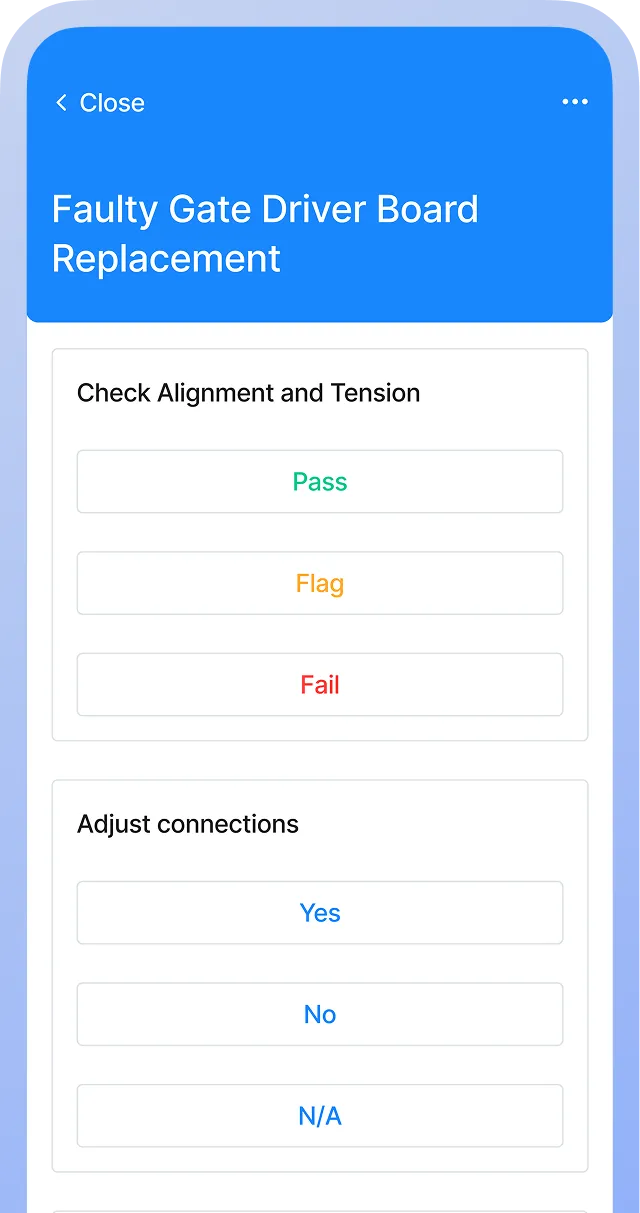
A DVIR checklist tells your drivers what to inspect for their driver vehicle inspection report: brakes, steering, lights, tires, coupling devices, and the other parts FMCSA lists. Built well, it also carries each defect from the driver who found it to the mechanic who repairs it and the driver who takes the vehicle out next, so every repair is documented before the vehicle returns to service.
This guide includes a template for pre-trip and post-trip inspections, plus guidance on writing defect descriptions an auditor can follow, closing the loop from report to certified repair, and meeting FMCSA requirements on each end of the trip.
Key takeaways
- Each listed defect on a DVIR needs three signatures: the driver who reported it, the mechanic who certified the repair, and the next driver who reviewed it. If any one is missing, you can’t prove the defect was fixed.
- Daily DVIRs show you where to focus maintenance, because recurring tire, brake, or lighting defects on the same unit often point to alignment or suspension problems that a preventive schedule can address.
- Digital checklists in a CMMS turn each reported defect into a work order. Repairs get certified in the same record, so your files stay audit-ready without anyone chasing paper.
How to use this checklist
Customize for your fleet
When customizing this checklist, consider the types of vehicles your team will inspect, as this will tell you which parts of this checklist you will need. For instance, tractor-trailer operations need every coupling and air brake check, while straight trucks and vans can drop the fifth wheel and trailer items, and hydraulic-brake units skip the air system section.
If you run mixed fleets, build one version per equipment type rather than one long form drivers learn to skim. Add items for specialized equipment such as lift gates, PTOs, or refrigeration units. Then review the FMCSA requirements in 49 CFR Part 396 and any state rules, and adjust the wording so drivers recognize each item on their own commercial vehicles.
Use a CMMS
A computerized maintenance management system (CMMS) moves the checklist from a paper form to a phone or tablet, so drivers complete inspections at the vehicle and attach timestamped photos of each defect. That photo capture settles questions about whether a cracked mirror or a bald steer tire was there before the trip.
Reported defects can trigger work orders automatically, mechanic certifications stay linked to each repair, and electronic signatures replace lost forms and filing cabinets full of carbon copies. The result is an audit trail you can search by unit, component, or date.


DVIR checklist
Pre-trip review
In-cab and emergency equipment
Engine compartment and frame
Lights and reflectors
Tires, wheels, and suspension
Brakes and air system
Coupling devices and trailer
Documentation and compliance
This checklist is to be used only by those with appropriate training, expertise, and professional judgment. You are solely responsible for reviewing this checklist to ensure that it meets all professional standards and legal requirements, as well as your needs and intent.
How to write defect descriptions that satisfy DOT auditors
A defect description satisfies an auditor when it names a specific component, condition, and location, so anyone reading the report can match it to the repair. “Left rear brake chamber leaking air” gives the mechanic a starting point and gives the auditor a clear paper trail. “Brake issue” or “light out” does neither.
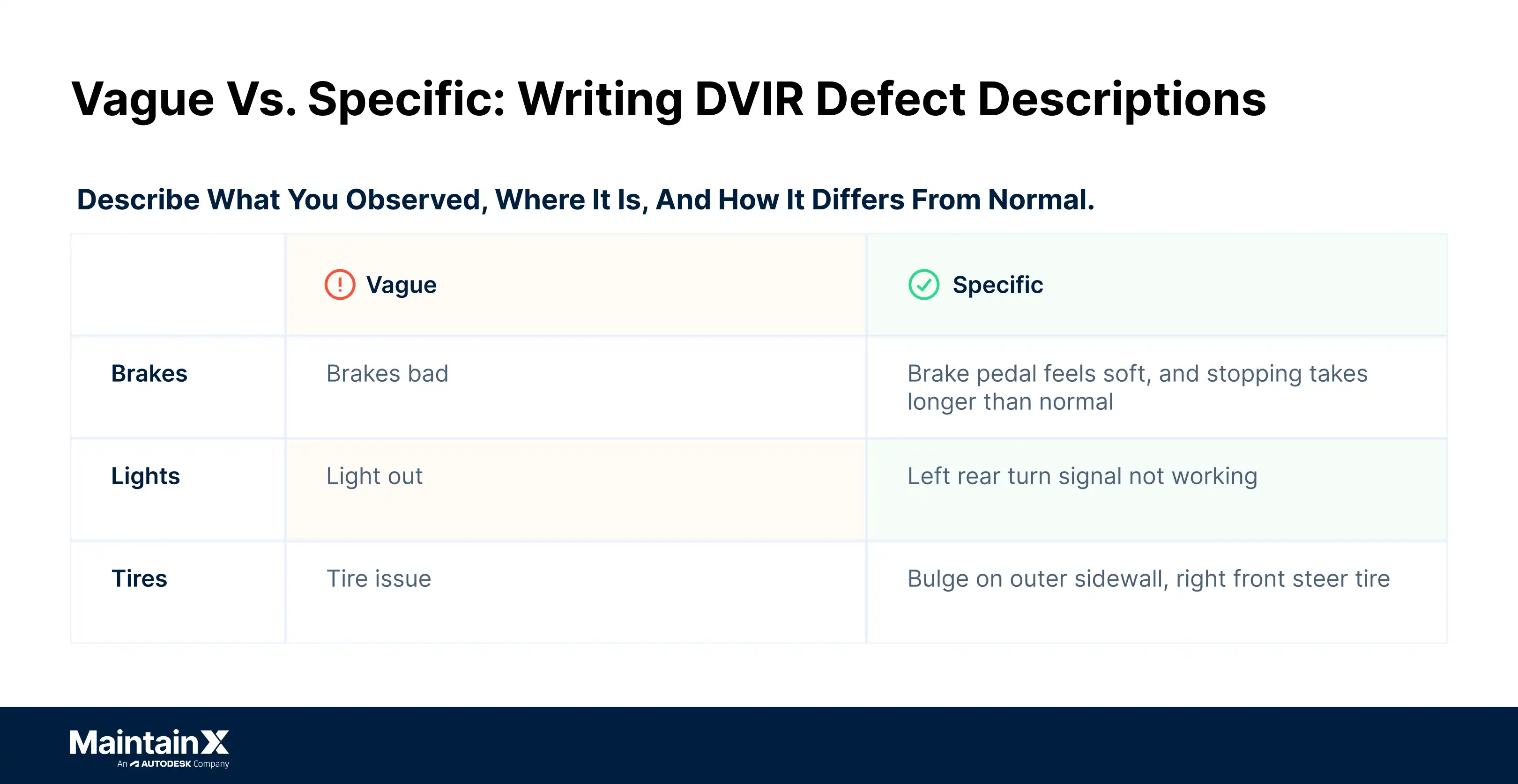
Here are some examples of vague and specific defect descriptions:
- Brakes: “Brakes bad” vs. “Brake pedal feels soft, and stopping takes longer than normal”
- Lights: “Light out” vs. “Left rear turn signal not working”
- Tires: “Tire issue” vs. “Bulge on outer sidewall, right front steer tire”
Specific notes also protect the certification. Under 396.11, the carrier certifies on the report that each listed defect was repaired or that repair was unnecessary. If the driver wrote “noise in front end” and the mechanic wrote “replaced tie rod end,” an auditor has to take it on faith that the two match. If the driver wrote “clunk from left front over bumps, excess play in steering wheel,” the repair note answers it directly.
Consistent language across drivers helps too. A short list of standard defect categories, with a required free-text field for location and condition, keeps reports comparable from one driver to the next without losing the detail.
How to get a DVIR defect from report to certified repair
A DVIR defect gets from report to certified repair in three steps: The driver lists it on the report, a mechanic repairs it and certifies the repair on that report, and the next driver reviews and signs the report before operating the vehicle. Open a work order for each defect, and keep it open until all three steps are done.
Each step moves faster when your team has settled the routing in advance. Decide who triages incoming reports, where certifications get recorded, and how fast each kind of defect has to move. Then give every defect an owner, a documented resolution, and a timestamp at each handoff, so fleet managers can see what’s still open on any unit at the start of the day.
Even with that setup, defects tend to get stuck where the steps cross a shift, a location, or a piece of equipment:
- The defect reaches the wrong shop. A driver drops a report at the terminal, but the tractor gets serviced at a satellite yard that never sees it.
- The certification says “repair unnecessary” with no reason. That’s allowed under the rule, but without a note on why, nobody can tell a judgment call from a skipped repair.
- The trailer changes hands. A defect listed against a trailer stays open on that trailer’s record after it’s dropped and hooked to a different tractor, so the next driver to pull it needs to see it.
You’ll catch these sooner if each defect lives in one record tied to the unit, so the terminal, the satellite yard, and the mechanic all see the same open item. Then, once a week, pull every defect that’s still open past the deadline you set for it. That list shows you where the handoffs are breaking.
Pre-trip vs. post-trip DVIR requirements: What actually changes
The post-trip DVIR records defects, and the pre-trip review confirms they were dealt with. Both cover the same vehicle and most of the same components, but the federal rules give each one a different job: 49 CFR 396.11 governs the written report at the end of the day, and 49 CFR 396.13 governs what the next driver does before pulling out.
Here’s how the two compare:
One exception applies to the pre-trip signature: If a defect was listed on a towed unit that’s no longer part of the combination, 396.13 doesn’t require the driver to sign for it.
Skipping the pre-trip review creates both a compliance gap and a road safety risk, because a driver can take out a vehicle with a defect that was reported but never repaired.
Track DVIR reports digitally with a CMMS
Digital DVIRs fix the coordination problem that paper creates: Drivers and mechanics work different shifts at different locations, and a paper DVIR has to physically travel between them. Forms get lost and defect reports sit in a cab for days before reaching the shop.
MaintainX turns each DVIR into a digital record tied to the vehicle identification number and the unit’s history. Drivers complete inspections on their phones with timestamped photos, and each reported defect automatically generates a work order routed to the right technician. Mechanics certify repairs in the same record, and the next driver reviews and acknowledges everything from their device before the trip starts. When an auditor asks for three months of reports on a unit, you can pull them as a clean PDF.
Want to modernize your team’s DVIR process? Book a tour to walk through inspections, defect work orders, and repair certifications for your fleet.
DVIR checklist FAQs
What is required on a DVIR?
A DVIR must identify the vehicle, list any defect or deficiency the driver found, and carry the driver’s signature, under 49 CFR 396.11. The report has to cover at least service brakes and trailer brake connections, parking brake, steering, lighting and reflectors, tires, horn, wipers, mirrors, coupling devices, wheels and rims, and emergency equipment. When defects are listed, the carrier certifies each repair on the report, and the next driver signs to acknowledge the review.
Does FMCSA require DVIRs for public sector fleets?
Generally, no. Under 49 CFR 390.3T(f)(2), the federal motor carrier safety regulations don’t apply to transportation performed by the federal government, a state, or a political subdivision of a state. State and local rules vary, though, and many public fleets run DVIRs anyway to document vehicle safety and catch defects early.
How long must public agencies retain completed DVIRs?
Public agencies follow their own state or local records schedules, which may run longer than the federal rule. For covered motor carriers, 396.11 requires keeping the original report, the repair certification, and the next driver’s review certification for three months from the date the report was prepared. Check your retention policy, and keep reports where you can retrieve them quickly.
Can public fleets use electronic DVIR systems instead of paper forms?
Yes. Section 396.11 allows the report to be created and maintained electronically, in line with the electronic records rules in 49 CFR 390.32, and public fleets outside FMCSA’s scope can set their own format. Digital forms also route defects to maintenance immediately, cut missing signatures, and keep records searchable. Requirements vary by state and agency, so do your own due diligence and confirm which recordkeeping rules apply to your fleet with your state DOT, your agency’s policies, and your legal team.
What vehicle defects require a DVIR to be marked “unsafe to operate”?
Any listed defect likely to affect the safe operation of the vehicle has to be repaired before the vehicle is driven again, under 396.11. In practice, that covers problems such as faulty brakes, steering play, tires with exposed cord or sidewall bulges, and inoperative required lights. The driver flags the defect, and a mechanic certifies the repair before the vehicle returns to service.

Marc Cousineau is the Senior Content Marketing Manager at MaintainX. Marc has over a decade of experience telling stories for technology brands, including more than five years writing about the maintenance and asset management industry.