
Field Service Management
Fix faster, win repeat business with asset-centric field service
Connect asset, job, and customer data in one place. Quote with confidence, guide technicians through every job even offline, and keep customers informed.








What is asset-centric field service management?
What we deliver for field-service teams
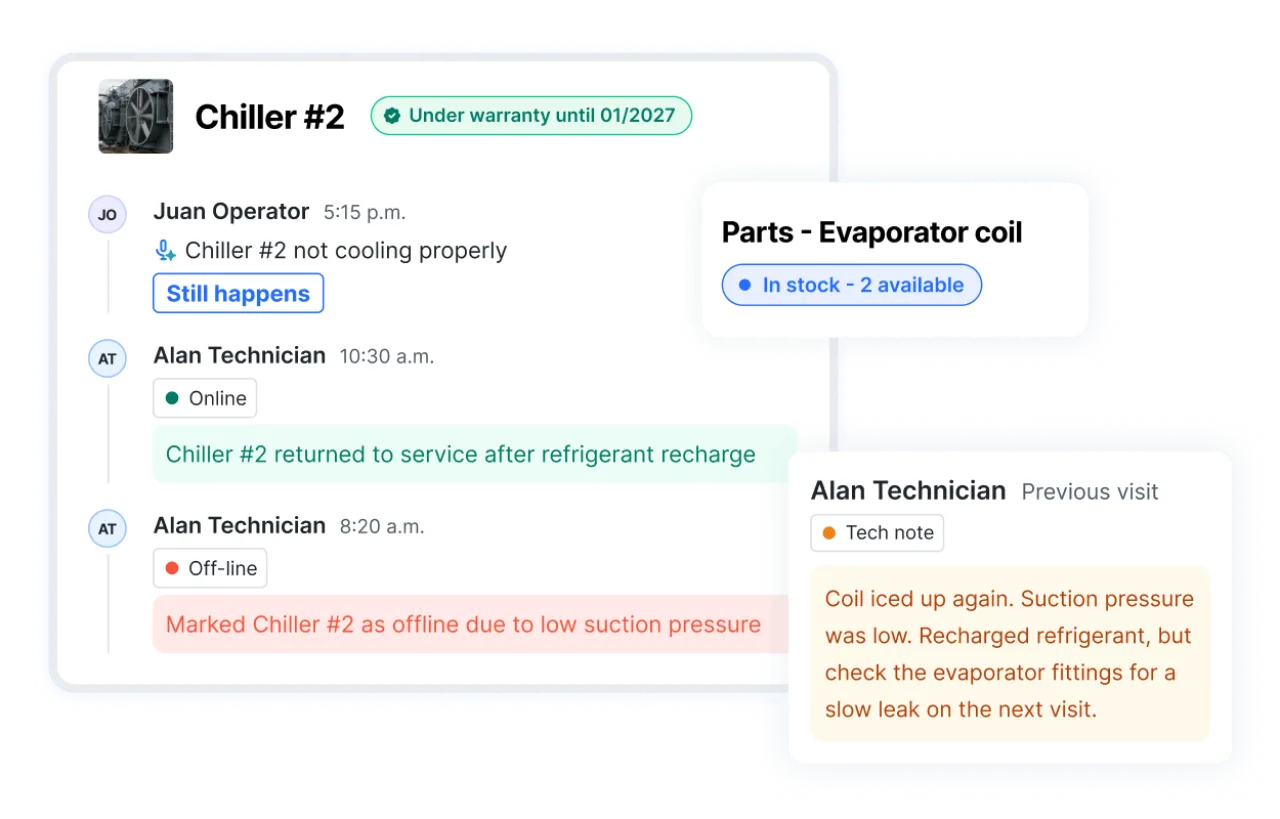
Arrive prepared with full service history
Improve first-time fix rates with the right context before every visit.
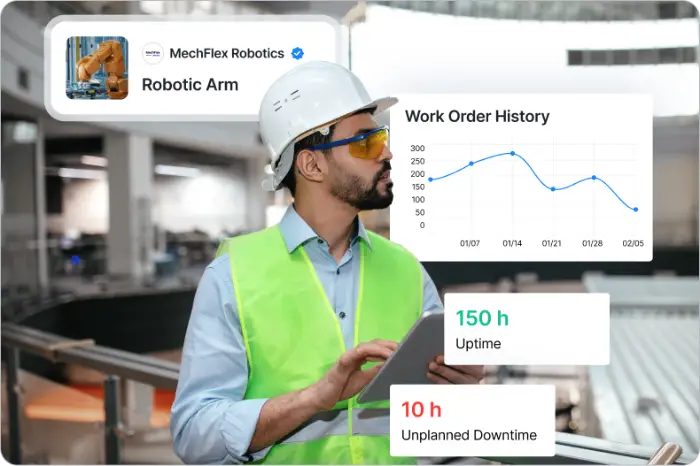
- Access full asset and service history, including warranty status and past failures.
- Diagnose issues faster using technician notes from previous visits.
- Confirm parts availability before scheduling work.
Standardize how every job gets done
Help your newest tech work like your best one.
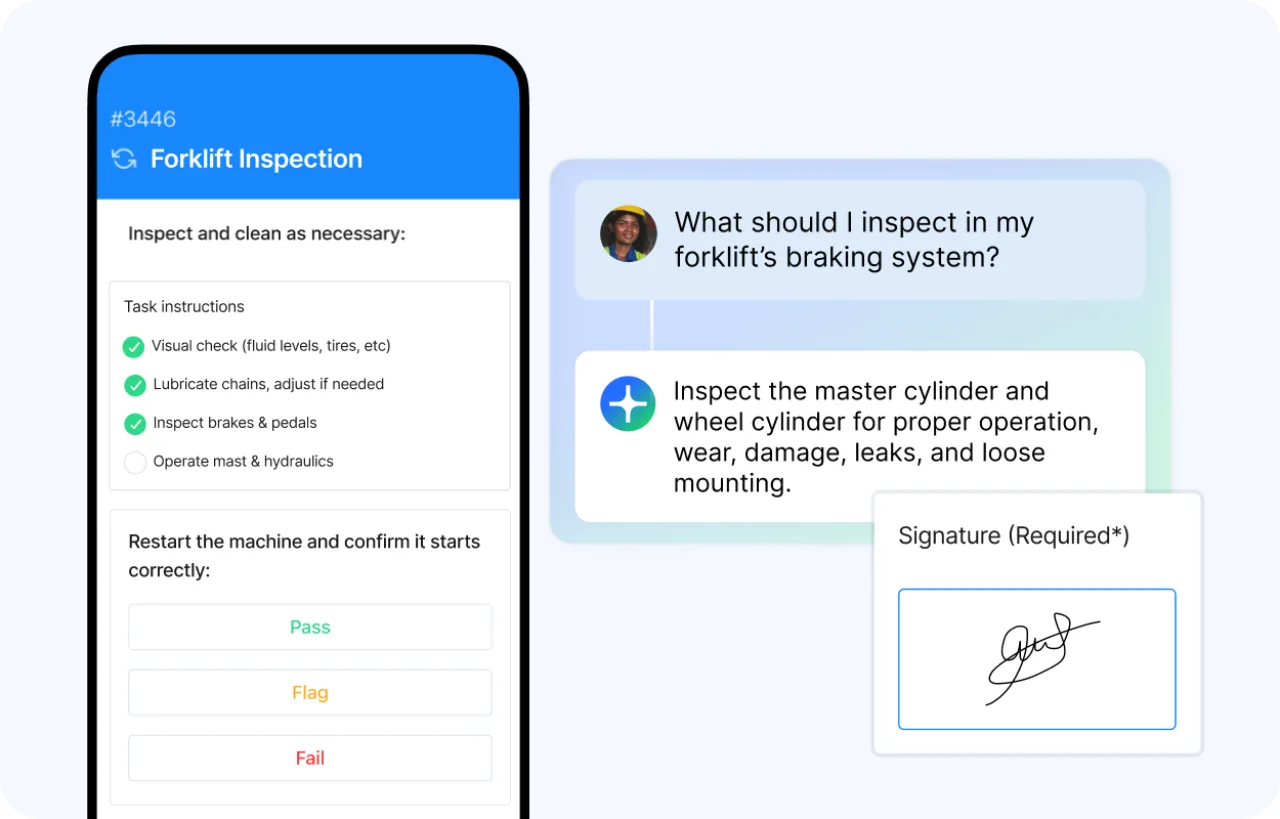
- Guide every technician through asset-specific steps with digital SOPs and checklists.
- Use MX Assist to answer questions in the field using past work and official manuals.
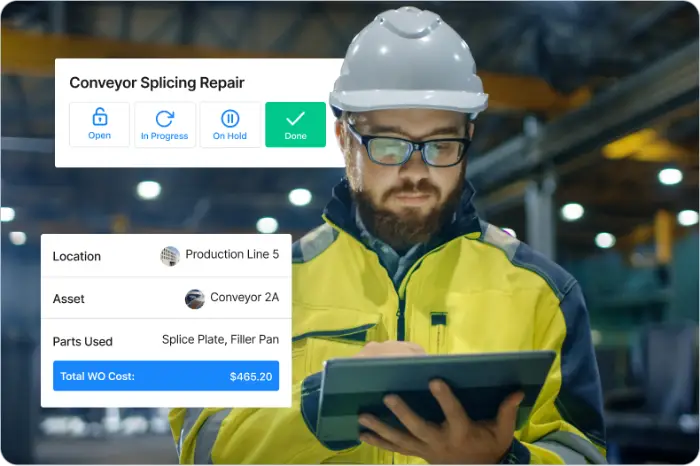
- Capture inspection results, photos, and sign-offs as the job runs, not after.
Quote accurately and protect your margin
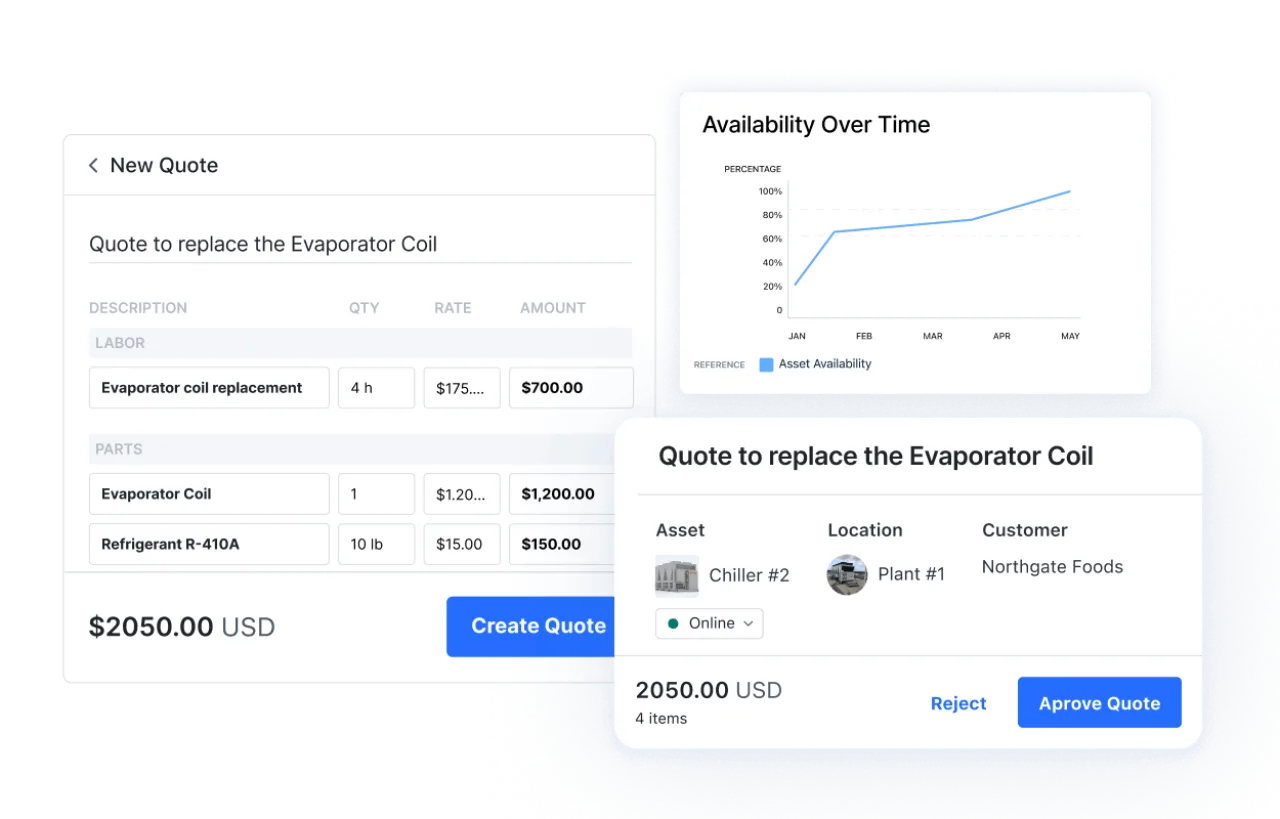
Price from actual work history, not guesswork.
- Scope and price every quote against asset history, SLA status, and contract terms.
- Track labor and parts costs in real time as the job runs.
Improve CSAT and win more business
Turn service into your competitive edge.
- Give customers visibility into work done, asset health, and service history without chasing you for updates.
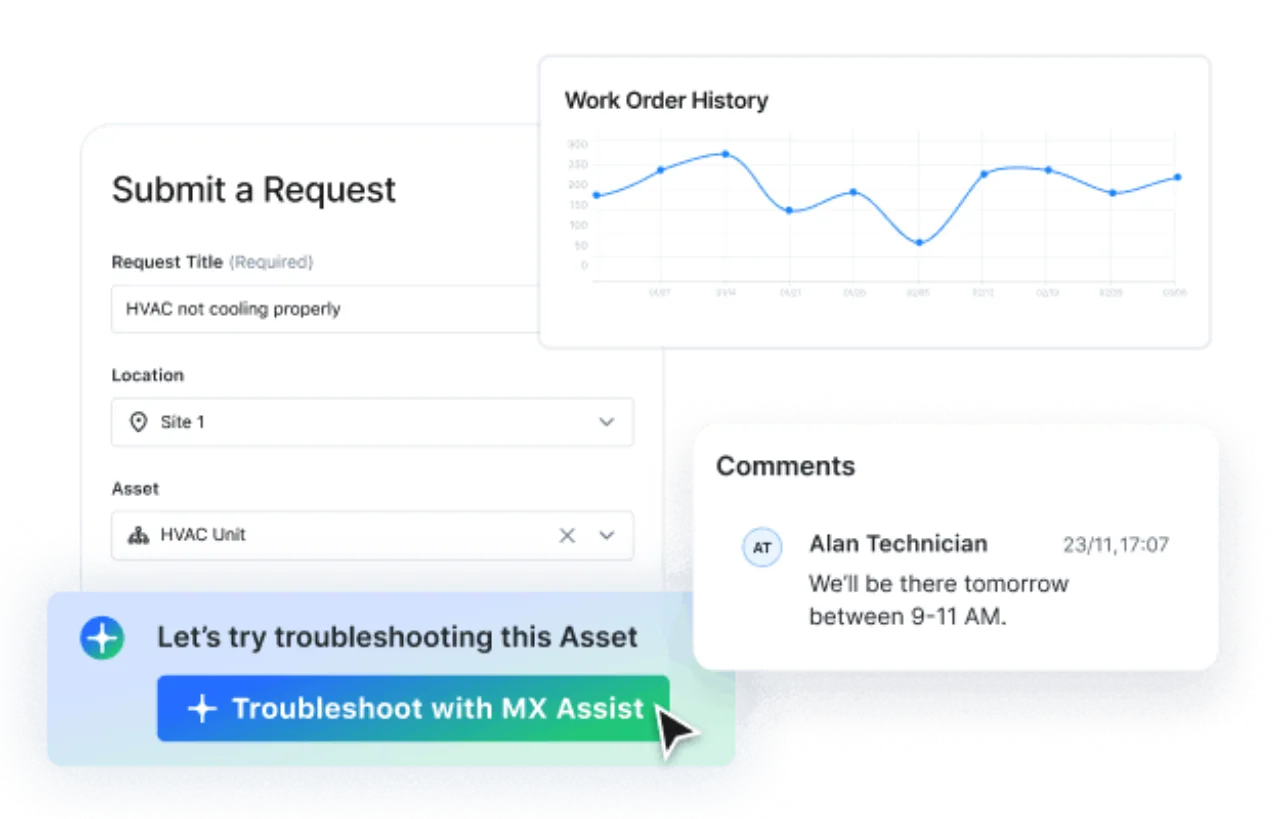
- Help customers resolve common issues through an AI-enabled request portal grounded in asset history and manuals.
- Identify parts, service, and replacement opportunities across your installed base.
Built for your technicians and your tech stack



Connected
Field-Ready
Supported
Companies using MaintainX have found:



Field Service Management Software FAQs
Got a question? We’ve got answers. Need troubleshooting help? Check out our Support Center.
What is field service management software?
Field service management software coordinates work performed at customer sites: intake and triage of requests, scheduling and dispatch, job execution in the field, and closeout. MaintainX organizes all of it around the Asset, so every request, Work Order, part, quote, and service report stays attached to the equipment it belongs to. Techs get the full history of a machine before they arrive, and managers can see cost and performance by asset, customer, or contract.
How is MaintainX different from other field service management software?
Most field service tools are built around the job. MaintainX is built around the Asset. Service history, warranty status, manuals, failure trends, meter readings, and past Work Orders live on the equipment record, and MX Assist uses that history to guide diagnosis in the field. That context raises first-time fix rates, makes quotes accurate the first time, and surfaces parts and replacement opportunities across your install base.
Can technicians use MaintainX without a signal in the field?
Yes. The mobile app works offline, so techs can open Work Orders, complete procedures, log parts, and capture photos and notes in a basement, a rooftop unit, or a remote site. Everything syncs once the device reconnects. The app supports 17+ languages, which shortens onboarding for mixed crews.
Can customers submit and track their own service requests?
Yes. Customers submit requests through an AI-enabled portal. The AI, which is grounded in asset history and manufacturer documentation, resolves common issues before they reach your team. Requests that arrive can be quickly converted to Work Orders and routed to the right service team. Customers can then track progress, review and approve quotes, and see full service history without calling for a status update.
Does MaintainX handle quoting for service work?
Yes. Build a quote directly from a job request and then share it with the customer through an external link for review, comments, and approval.