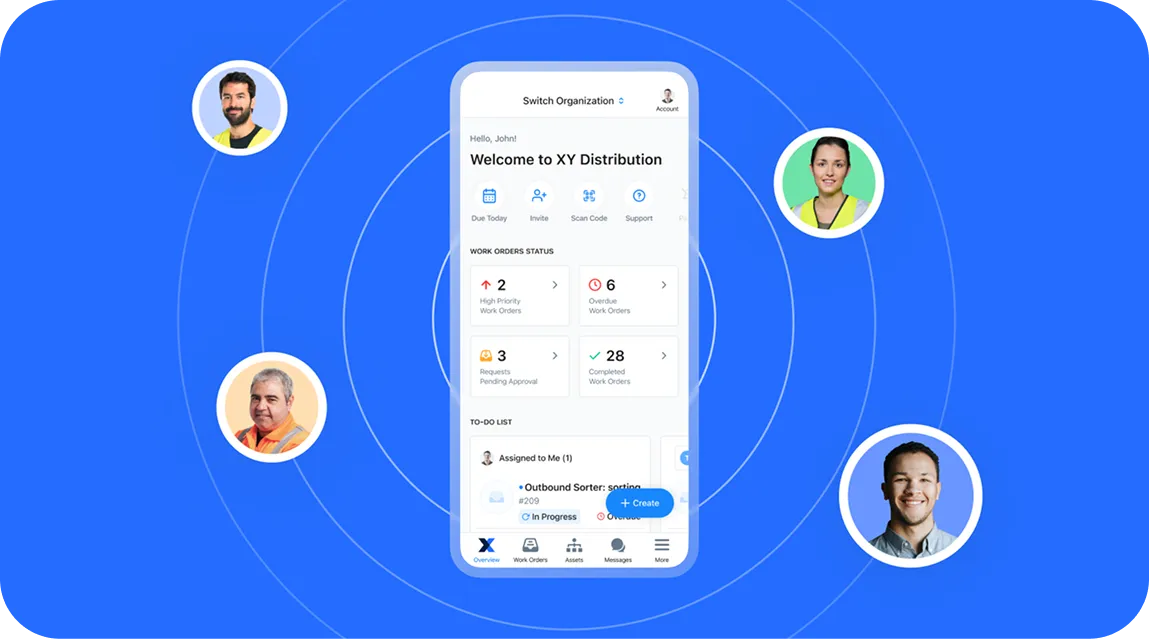
Maintenance runs on good information: an operator who can describe a problem clearly, a technician who knows the right steps, a planner who can see capacity and stock, and a leader who can compare sites on the same terms.
This month’s releases help your teams:
- Report problems with more detail
- Capture your best technicians' know-how on video
- Set up usage-based PM programs
- Manage standards and performance across international facilities
Here's what's new in MaintainX for November 2026.
Solve simple issues on the spot with Request Troubleshooter
When something breaks on the floor, operators often send a one-line request, and technicians end up chasing details before work can start. Even problems a quick restart would fix turn into requests for maintenance.
Request Troubleshooter changes that. When an operator submits a request in the MaintainX mobile app, an AI chat opens, asks quick questions about the asset using its manuals and work order history, and walks them through safe fixes, like a restart. If the fix works, no request is sent. If it doesn't, maintenance receives a request that already includes the issue, what was ruled out, the likely cause and a suggested priority.
With Request Troubleshooter, teams can:
- Fix simple issues on the spot, like a stoppage cleared by a restart
- Capture symptoms, meter readings, and steps already tried in every request
- Cut back-and-forth between technicians and operators before work starts
- Block hands-on steps where safety or union rules require it, across your organization or for specific assets
Operators can answer with a tap, send pictures, edit the drafted request, or skip any question. The chat ends after five questions, so it never holds up a report.
Request Troubleshooter is included with Operator seats on Premium and Enterprise plans, in the new mobile operator view. Visit our Help Center to learn more.
Capture technician know-how on video with Video to Procedure
When experienced technicians retire or move on, their know-how often leaves with them. New hires spend weeks shadowing coworkers because the written procedure doesn't exist or doesn't match how the job is really done.
With Video to Procedure, an admin records or uploads a video of a skilled technician doing the job, and AI turns it into a draft procedure. Each step links to the moment in the video it came from, so anyone following the procedure can tap a step and watch how it's done.
Teams can use it to:
- Capture a retiring technician's know-how before they leave
- Document a new machine by filming its first setup or service
- Train new hires with steps that show the real job on video
- Fix recurring errors by filming the right way to do the task
To get started, select New Procedure, then Create from Video, in the Procedure Library. Record in the MaintainX mobile app or upload an MP4 or MOV file (up to 10 minutes and 2 GB). The draft builds in the background, so you don't need to stay on the page.
Video to Procedure is available on Premium and Enterprise plans. For more information, visit our Help Center.
Get answers about parts and purchase orders with MaintainX Assist
Before you order a part or approve a purchase order, you need the whole story: what's in stock, who supplies it, what's already on order, and how the part is used. That information lives in linked records, and checking each one takes time.
MaintainX Assist now answers questions about parts and purchase orders, pulling those records together so your team can decide with everything in front of them. Assist reads part details, purchase order details and history, and maintenance usage from your own organization's data.
With MaintainX Assist, your team can:
- Check stock levels, vendors and current purchase orders for a part
- Look up a purchase order's status, vendor and cost
- See how a part is used in maintenance
Assist only gives recommendations: it doesn't create, edit or approve purchase orders, or change inventory, so your team stays in control. Answers are only as detailed as your records, so complete part records and vendor links make them more useful.
The new parts and purchase order answers are available with MaintainX Assist on the Enterprise plan. Learn more in the Help Center.
Show every site's categories in its own language
Global Categories give every site in your organization one shared list. But if that list exists in only one language, sites that work in another either put up with unfamiliar names or create their own translated copies, which splits your data and breaks cross-site reporting.
Content Translation for Global Categories fixes that. A global admin picks the languages your enterprise works in, from the 29 locales MaintainX supports, and MaintainX translates each global category name into all of them with AI. Admins can review and edit any translation.
Users then see category names in their own app language, on web and mobile. A technician at a plant in Germany sees “Vorbeugende Instandhaltung,” a colleague in Québec sees “Maintenance préventive,” and your global reliability team still reports on a single “Preventive Maintenance” category.
What this means for you:
- Each category is defined once and shown in each site's language
- New categories and newly added languages are translated automatically, or you can turn AI off and enter translations yourself
- Reports, filters and search keep working on the category itself, so roll-ups stay consistent
- Users can search by their own language or by the original name
If a category doesn't have a translation, users see the original name, so nothing shows up blank. Content Translation applies to Global Categories only.
Content Translation is available on the Enterprise plan for Global Organizations using Global Categories. Learn more in our Help Center.
Share one dashboard across every site with Global Custom Dashboard
Large industrial companies need each facility to be moving in the same direction and tracking performance in the same ways.
With Global Custom Dashboard, a Global Leader shares one custom dashboard with every sub-organization. Each site sees the same charts with its own data. The Global Leader owns and edits the dashboard, and sites can view it but not change it.
Why it matters:
- Roll out one KPI dashboard to multiple sites in a single step
- Standardize reporting across sites for audits and compliance
- Update every site by editing one dashboard
- Cover new sites automatically as they join
To get started, convert one of your existing dashboards under Reporting, choose which sub-organizations receive it (or all of them, including future sites), and publish. Edits stay unpublished until you publish changes, so you decide when sites see an update.
Global Custom Dashboard is available on the Enterprise plan for Global Organizations with two or more sub-organizations, and requires the Global Leader role. See our Help Center for more information.
Plan around real shift patterns with Custom Work Rotations
If your crews work 4-on/4-off or a Pitman (2-2-3) schedule, you need a scheduling view that fits your shifts.
With Custom Work Rotations, admins define a repeating schedule once, whatever the length of the cycle, and assign it to the people who work it. MaintainX projects the rotation forward, so the Workload View shows accurate capacity without anyone touching it week after week.
How it works:
- Create a rotation in Settings. Name it, set the cycle length (up to 30 days) and set working hours or time off for each day. Start from a preset like 4-on/4-off or Pitman, or build your own.
- Assign it to users individually or in bulk. A start date anchors the cycle, so MaintainX works out where each person is in the pattern.
- Check the Workload View, which shows working days, off days and hours. Allocations, over-allocation warnings, and utilization work the same as they do for weekly schedules.
Moving someone between crews takes a single reassignment, and date-level overrides (like a vacation day) work as before without shifting the rotation. Existing weekly schedules carry over automatically, so nothing changes about anyone's availability.
Custom Work Rotations is available on the Enterprise plan. To learn more, visit our Help Center.
Schedule maintenance by usage with Meter-Driven Maintenance Plans
Not every asset wears out on a calendar. A delivery truck, a rooftop HVAC unit, and a piece of construction equipment all need service based on how much they've actually run.
With Meter-Driven Maintenance Plans, you can trigger preventive maintenance from meter readings, like miles, engine hours, runtime, or cycles, right inside Maintenance Plans. Use a meter on its own, or combine it with a calendar trigger so a work order generates whichever comes first.
You also choose how intervals are calculated. Fixed intervals use set milestones (5,000, 10,000, 15,000 and so on) that don't drift if work runs late, which suits warranty, regulatory, and OEM requirements. Floating intervals count from the last completion, which suits usage-based optimization. Plans that combine time and usage use floating intervals.
What this provides:
- Usage-only schedules, with no calendar fallback required
- Planning horizons that generate a work order ahead of the target, so planners have lead time to schedule and order parts
- Multiple service levels on one meter, like minor, intermediate, and major services on a single odometer, in one plan
- Work orders that show which trigger created them, including the readings at the time
For example, a delivery fleet can service vehicles every 5,000 miles and generate each work order 500 miles ahead. High-mileage vehicles get serviced more often, and low-mileage vehicles aren't over-maintained.
Meter-Driven Maintenance Plans are available on Premium and Enterprise plans. Learn more in our Help Center.
Moving maintenance forward
This month's releases are all about getting the right information to the right people sooner, from the operator on the floor to the leader across every site.
Have questions about any of these updates? Visit the Help Center or connect with your Account Manager.
And if you're not yet using MaintainX, book a tour today.

Doug Roberge is the Director of Product Marketing at MaintainX. He has spent over a decade working in SaaS products at companies like Segment, Pave, and others. Prior to his experience working in tech, Doug spent five years at Forrester Research working with Fortune 500 companies on strategies to implement new technology solutions. In recent years, he’s partnered with some of the world’s top enterprises to bring MaintainX into their operations—transforming the way frontline teams manage maintenance and assets, and making work not just more efficient, but a whole lot easier and more enjoyable.