This month's updates help teams use machine data to detect problems earlier, break down language barriers with one-tap translations, and keep asset and purchasing data consistent across sites.
Here's what's new in MaintainX for December.
Detect machine anomalies early with Asset Intelligence
Machine data often sits in controllers and historians while the first sign of a failing pump is a stoppage. Setting thresholds signal by signal takes time most teams don't have.
Asset Intelligence connects your machine data to MaintainX, detects anomalies, and recommends next steps. AI-powered anomaly detection flags temperature and current anomalies without any thresholds and improves as your team confirms alerts and closes work orders. Specialized detection for pumps, fans, and compressors is the first step toward more asset-specific insights.
With Asset Intelligence, teams can:
- Watch for anomalies, asset status changes, and fault codes with monitors
- Receive Alerts with an AI-written interpretation and recommended steps
- Turn an alert into a work order in a few clicks
- Stream machine data from the Ignition, Kepware, and MQTT connectors
- Monitor rotating assets with vibration monitoring
Find the new capabilities under Asset Monitoring in the sidebar. Looking for the feature formerly called Anomaly Detection? It is now Smart Input Checks, which checks the values users enter in procedure fields and manual meter readings.
Anomaly detection, monitors, and alerts are available on the Enterprise plan. Vibration monitoring is available on Premium and Enterprise plans in the US and Canada. Learn more in our Asset Intelligence blog post.
Translate work order content in one tap with MaintainX Assist
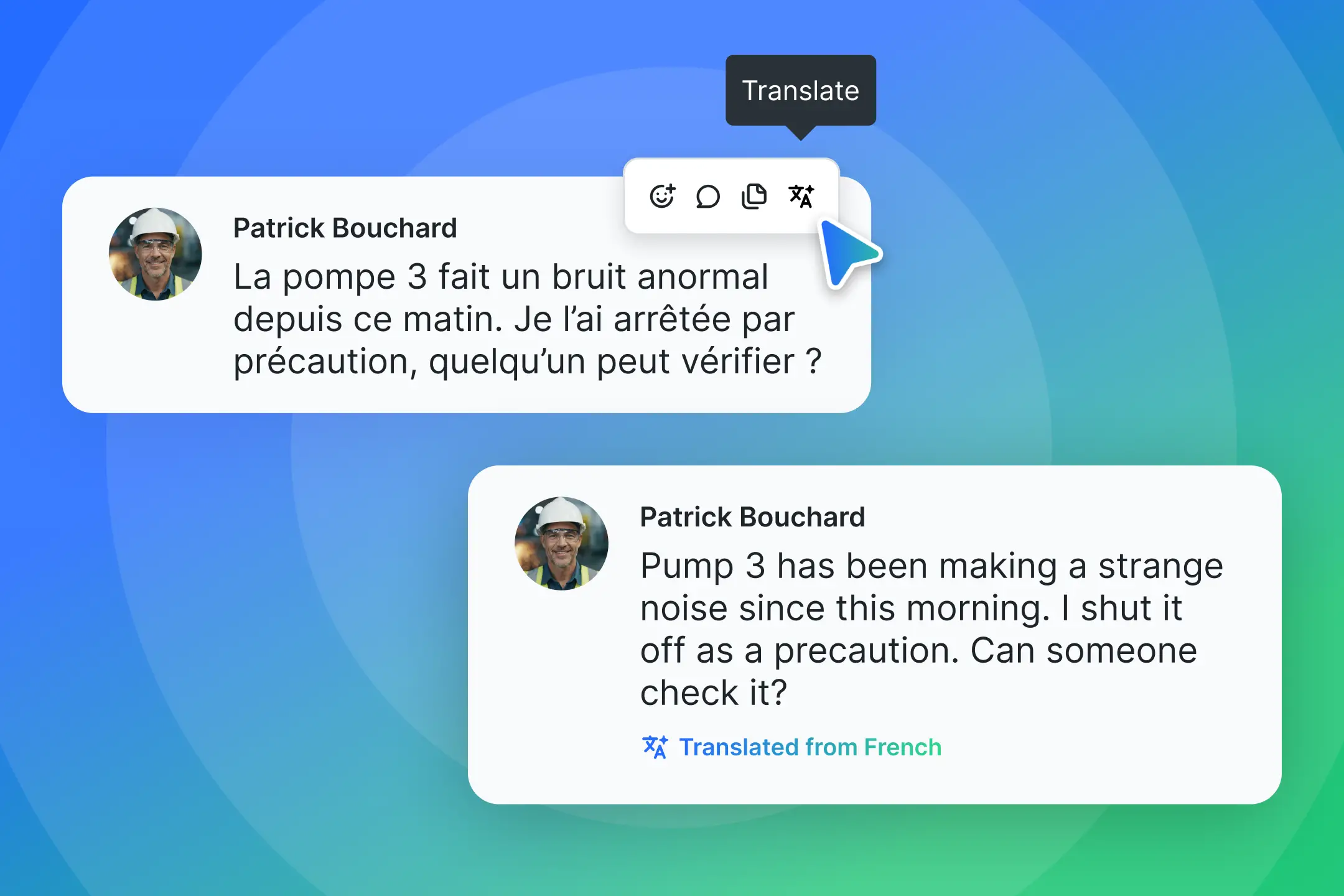
Crews and managers across sites often write in different languages, so work order notes don't always reach the people who need them.
With One Tap Translations, technicians and managers translate work order content into the language they select, then switch back to the original text in one step.
- Translate work order descriptions, summaries, and procedures into any MaintainX supported language
- Translate comments from anyone in the organization
- Switch back to the original text with Show original
One Tap Translations is available on the Enterprise plan with MaintainX Assist. Learn more in our Help Center.
Standardize asset data across sites with Global Asset Custom Fields
Multi-site teams often end up with every site building its own custom asset fields. One site tracks "HP," another "Horse Power," another "Motor HP," and cross-site reporting loses trust in the data.
Global Asset Custom Fields are now generally available. Global admins define a custom asset field once in the global organization and publish it to selected sub-orgs, so every site captures it with the same name and format.
With Global Asset Custom Fields, global admins can:
- Create a global custom asset field and publish it to selected sub-orgs
- Promote an existing local custom field to global
- Merge duplicate fields of the same type and choose which field's values to keep in each org
- Edit or unpublish a global field at any time
Sub-orgs can't remove a global field themselves. Only the global organization can.
Global Asset Custom Fields are available on the Enterprise plan for accounts using a global org. Learn more in our Help Center.
Know when ordered parts arrive with the Fulfilled status for Purchase Orders
Until now, a Purchase Order stayed Partially Fulfilled after the last part arrived, so teams couldn't tell "still waiting on parts" from "everything is here."
MaintainX now sets a Fulfilled status automatically when the received quantity meets or exceeds the ordered quantity for every item. The flow is Approved → Partially Fulfilled → Fulfilled → Completed, and Completed remains a manual close-out.
With the Fulfilled status, teams can:
- See which Purchase Orders have all their parts and plan the work
- Filter for Fulfilled orders and close them out in one pass
- Move an order to Completed once the invoice is in
- Notify the right users when an order is fulfilled, with a notification set under Teams > Escalation team notifications
If you pull Purchase Order data through the API, webhooks, or CSV exports, fully received orders keep showing Partially Fulfilled until you opt in to the new API field, webhook, or CSV column. The new CSV column shifts custom field columns one position to the right, so update any references that read exports by column number.
The Fulfilled status is available on Premium and Enterprise plans. Learn more in our Help Center.
Moving maintenance forward
From earlier machine insights to consistent asset data across sites, this month's updates give teams more to act on. Visit our help center or reach out to your account manager to start using them. New to MaintainX? Book a tour to see it in action.

Supriya is a Senior Channel Marketing Specialist at MaintainX, where she builds partnerships that connect maintenance and operations teams with the technology they rely on. Her career spans global technology, cloud, and data security partner marketing, as well as regional partner programs.