

Odds are that your maintenance team looks after a lot of the same or similar assets. Maybe there are six production lines all with the same type of conveyor. Or you inspect a dozen HVAC units every other week. Or you lubricate every motor on the floor.
Despite how similar (and frequent) this work is, many teams still create a separate work order for each asset. This often creates a lot of inefficiency in the form of extra travel time, admin work, and duplicate data, while increasing the chances for human error.
Multi-asset work orders solve that problem. They give you a practical way to keep related work together, plan it more clearly, and document it without losing the connection between assets. Better work order structure makes work faster, easier for technicians to do, and improves data quality.
This article explores how multi-asset work orders work, when to use them, and how to set them up.
Key takeaways
- Multi-asset work orders help maintenance teams reduce duplicate administrative work, wasted labor, and inconsistent execution by grouping shared work across similar assets into one coordinated job.
- They work best when multiple assets share the same timing, procedures, and completion criteria, while more complex or asset-specific work is usually better managed with sub-work orders or separate corrective work orders.
- The key to making multi-asset work orders effective is clear setup: define the scope, group the right assets, use standardized checklists, capture findings by asset, and create follow-up repairs separately when needed.
What is a multi-asset work order?
A multi-asset work order is a single work order used to plan, complete, and document maintenance work that applies to more than one asset. This is useful when the work is associated with one event, route, inspection, or coordinated task.
Instead of creating separate work orders for every asset involved, you create one work order that groups the shared work together. Technicians can execute the task as one planned job while still recording what happened across the specified assets. This structure is especially useful when the labor, timing, instructions, and completion criteria are mostly the same.
For example, let’s say a facility has 10 operational forklifts and each one is scheduled for a routine tire inspection on the first Monday of the month. This would be a good candidate for a multi-asset work order because the timing and procedures are the same for each asset, and creating a work order for each forklift would increase administrative effort and have the potential to cause confusion or error.
Benefits of multi-asset work orders
The biggest benefits of multi-asset work orders is that they cut down on administrative work, wasted labor hours, and inconsistency in work. Let’s explore each benefit in more depth.
1. They reduce extra admin work
Writing separate work orders for the same task on multiple assets can add hours to your day. You end up copying the same title, instructions, due date, checklist, priority, and assignee again and again. A multi-asset work order cuts that duplication out of the equation.
2. They keep related work in one place
Technicians operate best when they have as much context as possible around a route or coordinated task. One work order keeps the scope, instructions, timing, and work history together instead of across dozens of records. That makes the work easier to follow and review.
3. They make recurring routes and inspections easier to plan
Preventive maintenance rounds, lubrication routes, and recurring inspections are easier to schedule when they are structured as one job instead of many disconnected tasks. This helps supervisors plan labor more realistically and reduces the chances of work slipping through the cracks.
4. They increase standardization and consistency
The chances of errors happening in the work order process, from missing a key procedure to using the wrong amount of lubrication, increases with each different work order that is created. Multi-asset work orders give one set of instructions and resources for every single asset, increasing standardization and ensuring work is done consistently across technicians, shifts, and sites.
5. They support better visibility into work order history and asset performance
Cleaner work order structure improves reporting. You can see how recurring inspections are going, how often related assets show the same issue, and where follow-up repairs keep appearing. That kind of visibility helps teams move from reactive work toward better planning and stronger reliability decisions.
When should you create a multi-asset work order?
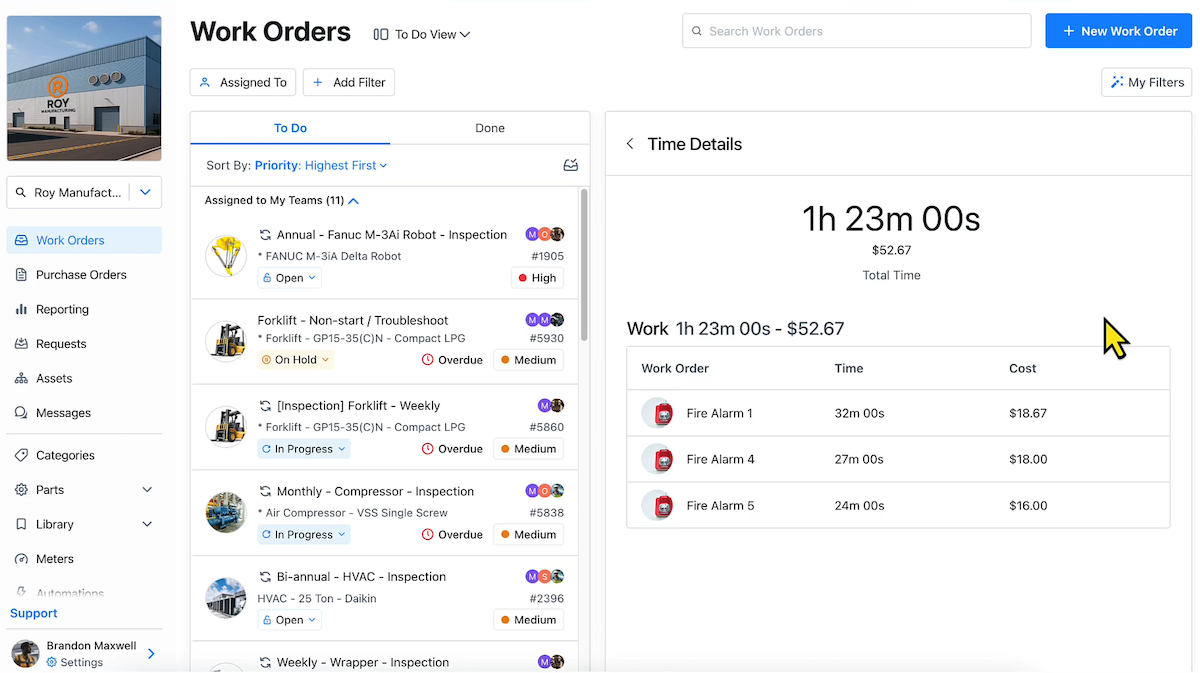
Multi-asset work orders are best used when the same or similar assets are part of the same route, event, inspection, or coordinated maintenance activity. They are also the most valuable when labor, timing, and completion criteria are similar enough to manage together. Common use cases include:
- Preventive maintenance rounds for similar tasks or assets
- Inspections across similar equipment
- Line or system shutdown work
- Seasonal facility checks
- Cleaning, lubrication, or calibration tasks
A good rule is, if separating the work into many work orders adds admin without adding clarity, a multi-asset work order is probably the better choice.
When sub-work orders make more sense
Multi-asset work orders aren’t the right fit for every job. Sub-work orders are better when the work is part of one larger effort but still needs to be broken into smaller, trackable pieces. For example:
The same work for different assets
Say your team needs to do annual safety checks for all its production equipment. If there are multiple asset groups or classes that require these inspections, the procedures for each will likely be different. This requires a parent work order with sub-work orders under it for each asset or asset group to ensure the right SOPs are being followed for each piece of equipment.
Line-based maintenance
If you are scheduling maintenance for an entire production line, a parent work order can represent the shutdown or maintenance event, while sub-work orders track the specific work for each machine. This is often better than one flat work order when the line-level effort is shared, but each machine needs its own scope and completion status.
Project management or non-maintenance work
A facilities inspection across multiple buildings is another good example. Overall inspection can live in the parent work order, while each building gets its own sub-work order. That structure works well when the job is connected, but each location or asset group needs separate execution and documentation.
Very large maintenance projects
If maintenance work is too large to be completed in one shift or is likely to be interrupted by reactive work because it requires a large time commitment from several technicians, it should probably be split into sub-work orders or separate work orders, even if the work seems like a good candidate for a multi-asset work order. This prevents the work order from being partially completed and your data from breaking.
How to create multi-asset work orders
The difference between a useful multi-asset work order and a messy one usually comes down to setup. Here is a practical process you can follow.
1. Identify the job that applies to multiple assets
Start with the work itself, not the assets. Ask yourself if it's one coordinated task, route, inspection, or event. If the answer is yes, and the work is shared, that’s your signal to consider a multi-asset work order. Don’t group assets just because they’re nearby, but because the work belongs together.
2. Define the scope of the work
Before you attach a list of assets, define what the work order will cover. Establish what tasks will be done, what counts as complete, the planned timing and frequency, the procedures to follow, and the follow-up actions that should take place if necessary. A clear scope prevents the work order from becoming too broad.
3. Group the right assets together
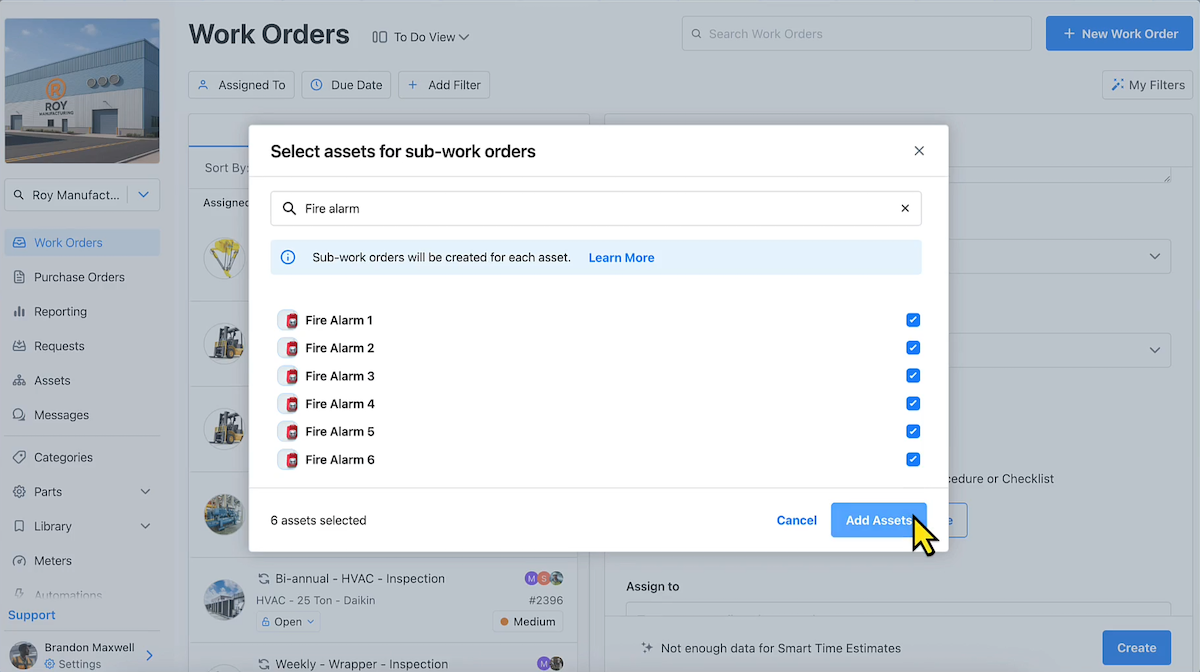
Add the assets that fit the job. This might mean similar machines on the same PM route, all HVAC units in a seasonal inspection, or every asset affected by a scheduled shutdown. The key is consistency. The grouped assets should share enough context that one work order still makes sense. If the work starts to split into different labor needs, priorities, or procedures, don’t use a multi-asset work order.
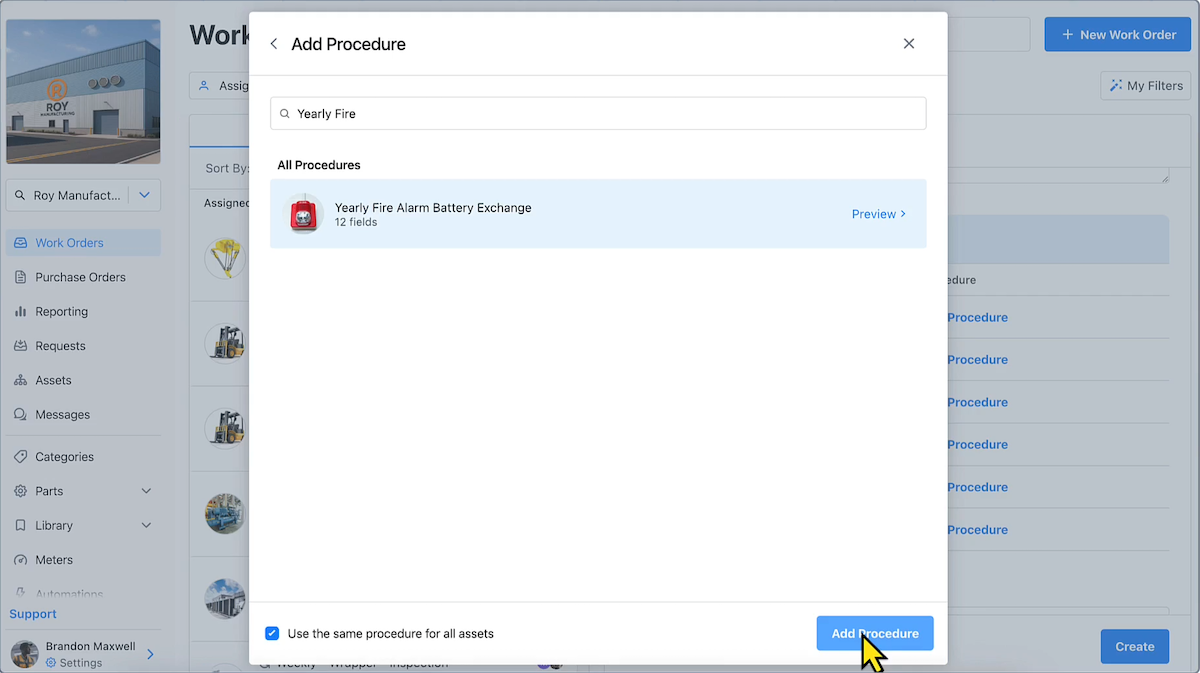
4. Add instructions, checklists, and required documentation
Shared work needs shared structure. Add the instructions technicians need to complete the job consistently. Include checklists, inspection points, required photos, readings, safety steps, and documentation rules. A strong checklist helps standardize execution across every asset in the job, which improves compliance and gives you cleaner data later.
5. Assign the right technician or team
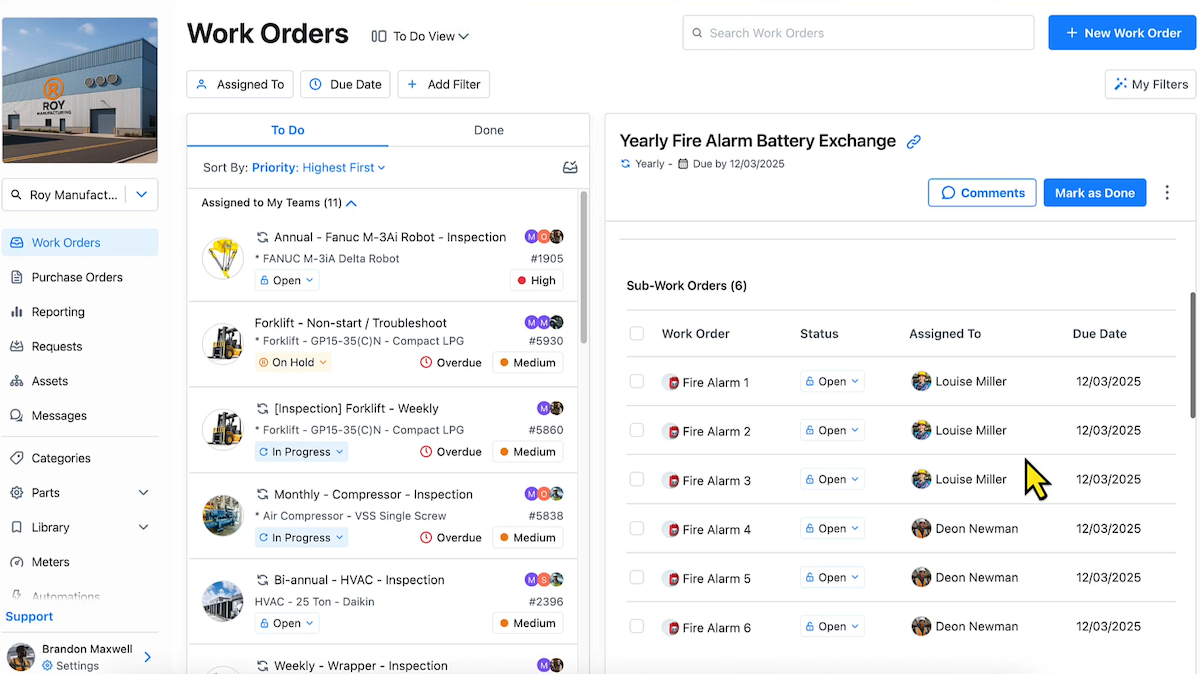
Assign the work order to the technician, crew, or route owner who will actually perform the task. Multi-asset work orders often involve recurring rounds or coordinated work, so ownership should be clear from the start. One accountable team reduces handoff issues and helps the job move faster.
6. Include priorities, due dates, and completion rules
Set the due date, priority, and any completion logic up front. Does every included asset need to be inspected for the work order to count as complete? Can the technician close the work order if one asset needs a follow-up repair? What should happen if an exception is found? You want these rules decided before the work starts.
7. Track findings by asset
A multi-asset work order should not lead to vague notes like “completed route” or “all units checked.” If you want reliable records, technicians still need a way to capture asset-specific findings. That could include readings, photos, inspection results, condition notes, or parts used. The work order is shared, but the findings still need enough detail to support future planning and troubleshooting.
8. Close the work order with complete records
Before closing the work order, make sure the documentation is complete. That means the checklist is finished, asset-level findings are captured, exceptions are noted, and any follow-up corrective work has been created separately. A clean closeout matters because today’s work order becomes tomorrow’s maintenance history.
An example of a multi-asset work order
Let’s make this practical with an example of a multi-asset work order for a monthly inspection of 12 rooftop HVAC units. The job includes:
- Checking filters
- Looking for visible leaks or damage
- Verifying belt condition
- Recording temperature readings
- Noting abnormal noise or vibration
- Taking photos if an issue is found
This is a strong case for one multi-asset work order because the work is part of one recurring inspection route:
- The instructions are the same
- The assigned team is the same
- The work happens on the same schedule
- The completion criteria are shared
Instead of creating 12 separate work orders, the team creates one monthly multi-asset work order tied to all 12 units. The technician follows one checklist, completes the route, and records findings for each unit as needed.
Let’s say one rooftop unit shows a damaged belt and abnormal vibration. The technician can document the finding on that unit, then create a follow-up repair work order for the belt replacement and any related repair work.
Best practices for how to manage multi-asset work orders
Creating the work order is only part of the job. Managing it well is what keeps the system useful.
Only group assets when the work is truly shared
This is the most important rule. If the assets do not share the same labor, timing, and execution logic, do not force them into one work order just to save clicks.
Avoid combining unrelated corrective work
Corrective work usually needs clearer scope, parts planning, and asset-level ownership. Once work becomes repair-specific, it usually deserves its own work order. Otherwise, you lose clarity fast.
Standardize naming conventions
A clear naming convention makes multi-asset work orders easier to find, review, and report on. For example, a naming format like “Weekly HVAC Inspection - Roof Units A1-A12” is much easier to understand than something generic like “PM Route 7.” Good naming improves visibility across the maintenance team and makes records more useful later.
Use checklists to keep execution consistent
Consistency is one of the main reasons to use multi-asset work orders in the first place. A checklist helps make sure technicians perform the same steps, capture the same information, and follow the same completion rules across every asset in the group.
Capture readings, photos, and notes at the asset level when needed
Shared work orders should not erase asset-level detail. If one motor shows higher vibration, one HVAC unit has a torn belt, or one extinguisher is missing a tag, that information needs to be recorded clearly. Better documentation supports follow-up action and improves your asset history over time.
Separate follow-up repairs into their own work orders
This keeps the original work order focused. A route, inspection, or shutdown task can stay together. But when one asset needs additional corrective action, create a separate work order for that repair. That makes scheduling, tracking, and reporting much cleaner.
Review the reporting afterward to spot trends
Multi-asset work orders can tell you more than whether the job got done. Over time, they can help you spot patterns across similar assets, routes, or recurring inspections. That improves visibility into failure trends, repeat findings, and where your team may need to adjust PMs or standard work.
Common mistakes to avoid when creating multi-asset work orders
Multi-asset work orders save time when they are structured well. They create confusion when they are not. Here are the most common mistakes to avoid.
- Grouping too many unrelated assets together: This is the fastest way to make the work order useless. If the assets do not belong to the same task or event, keep them separate.
- Making the work order too broad to execute well: The more vague the work order becomes, the less valuable it is. Teams need clear scope, instructions, and completion rules. Broad work orders produce broad documentation, weaker records, and worse follow-up.
- Failing to define completion criteria: Technicians need to know what “done” means. If one asset is skipped, does the work order stay open? If one issue is found, is the work complete or not? Clear rules prevent confusion and reduce rework.
- Not documenting asset-specific issues: A multi-asset work order is not an excuse for generic closeout notes. If a finding matters, document it at the asset level.
- Using one work order when separate corrective actions are needed: Shared inspections and routes make sense in one work order. Repair work often does not. When the scope becomes asset-specific and corrective, separate work orders create better control and records.
Take a step toward more efficient maintenance with multi-asset work orders
Multi-asset work orders are a practical way to reduce admin work, keep related work together, and make recurring maintenance easier to manage. They work best when the job is truly shared, the scope is clear, and technicians can still capture asset-specific findings without losing the bigger context. Done well, they improve execution on the floor and make your records more useful to the wider business.
If your team is still creating separate work orders for every asset in a shared route or inspection, this is a good place to simplify. Start with one recurring use case, tighten the structure, and build from there. That is usually how better maintenance systems take hold: not through a giant process overhaul, but through practical changes that save time and create cleaner data from day one.

Marc Cousineau is the Senior Content Marketing Manager at MaintainX. Marc has over a decade of experience telling stories for technology brands, including more than five years writing about the maintenance and asset management industry.

.png)


.webp)