
Asset Management
Increase uptime with modern asset management
Track downtime, standardize maintenance procedures, and use data-driven insights to improve reliability across sites and regions.










Our clients using MaintainX report
Prevent downtime before it halts production
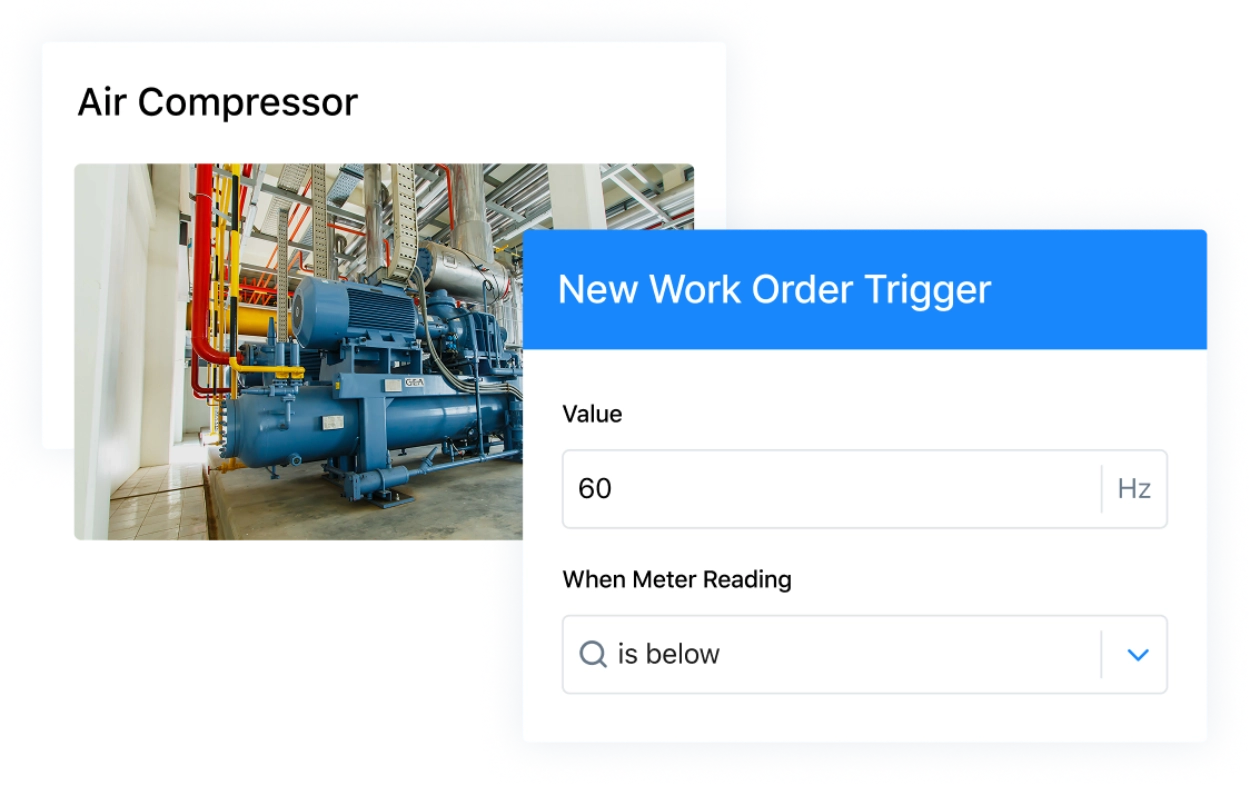
Put preventive maintenance on autopilot to reduce asset downtime. Schedule inspections, automate corrective actions, and trigger condition-based maintenance to keep your equipment online.
Streamline work requests for your assets
Automatically create work orders from incoming maintenance requests to get machines back online faster. Route requests directly to specific teams, and log downtime at the moment it occurs.
Keep more accurate downtime records
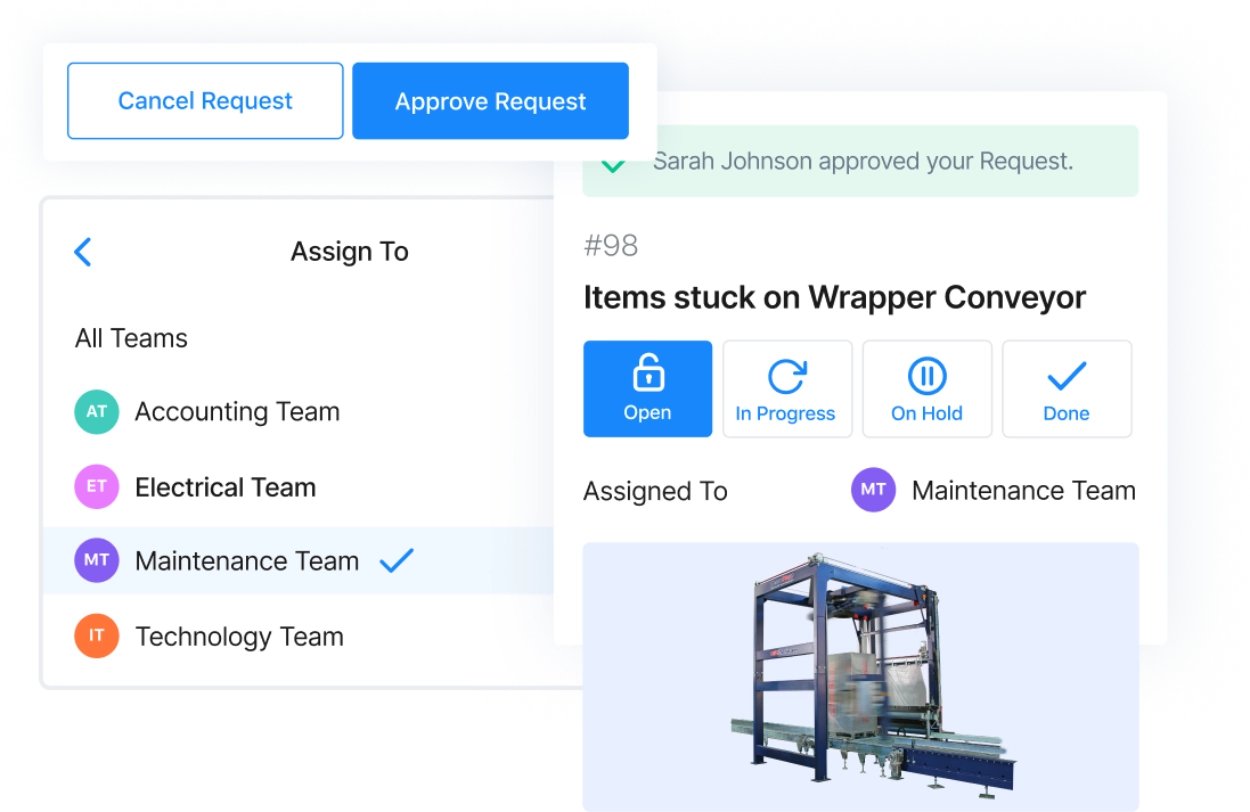
Track the current status and downtime history for every asset. Make it easy to record when equipment goes online and offline using automated workflows.
Save money by identifying costly assets
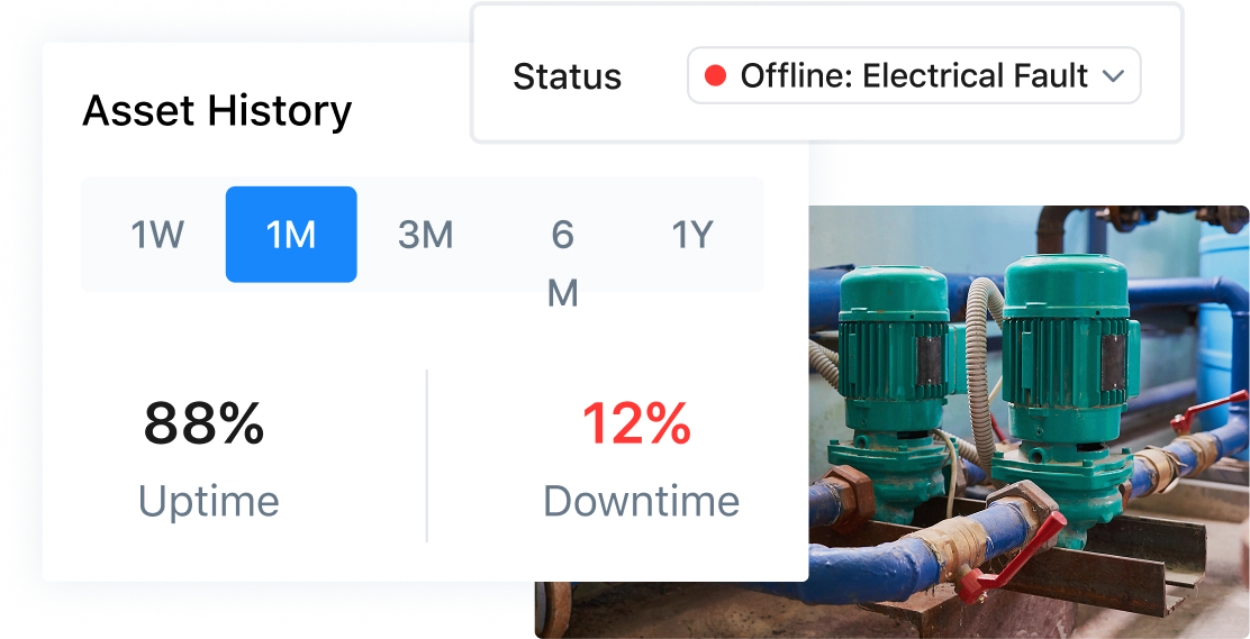
Make smarter budget decisions with insights into downtime, parts and labor costs, and asset depreciation.
Improve reliability with root cause analysis
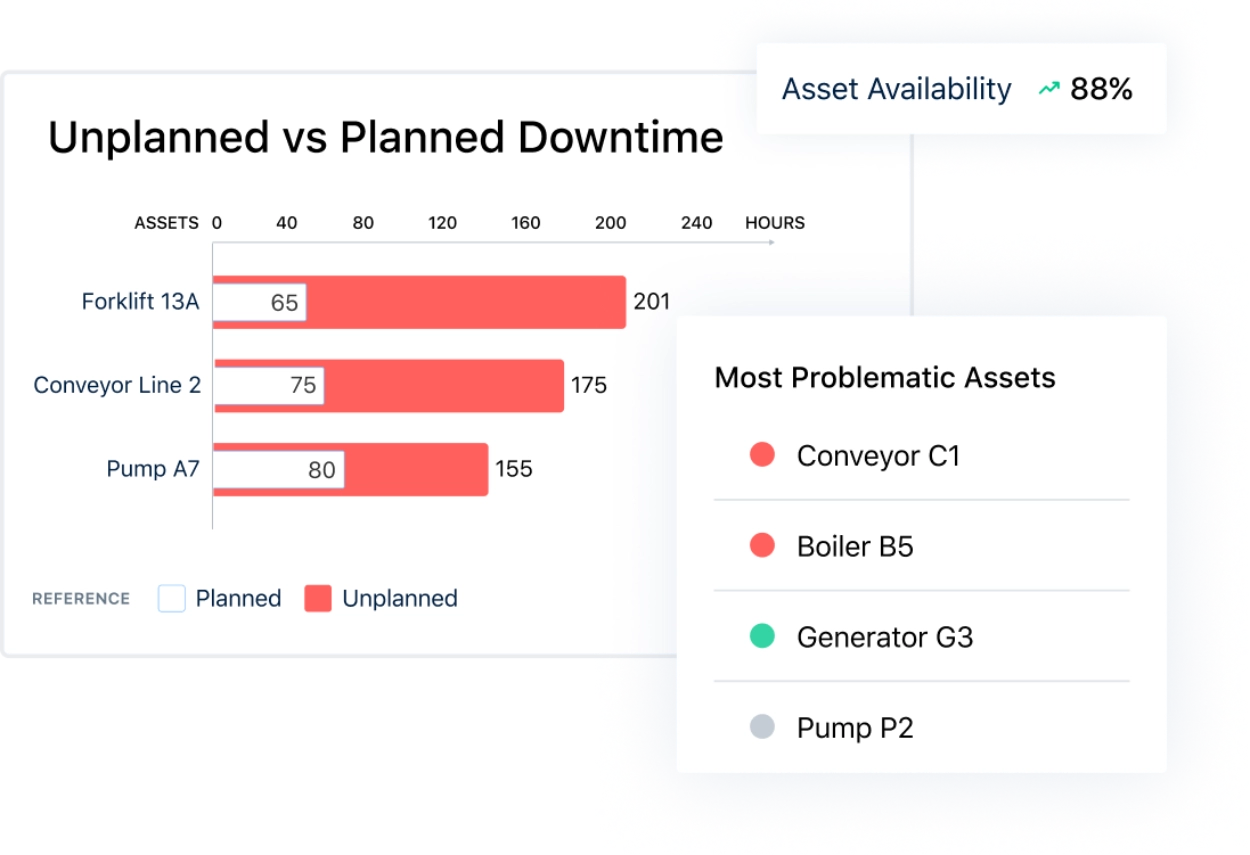
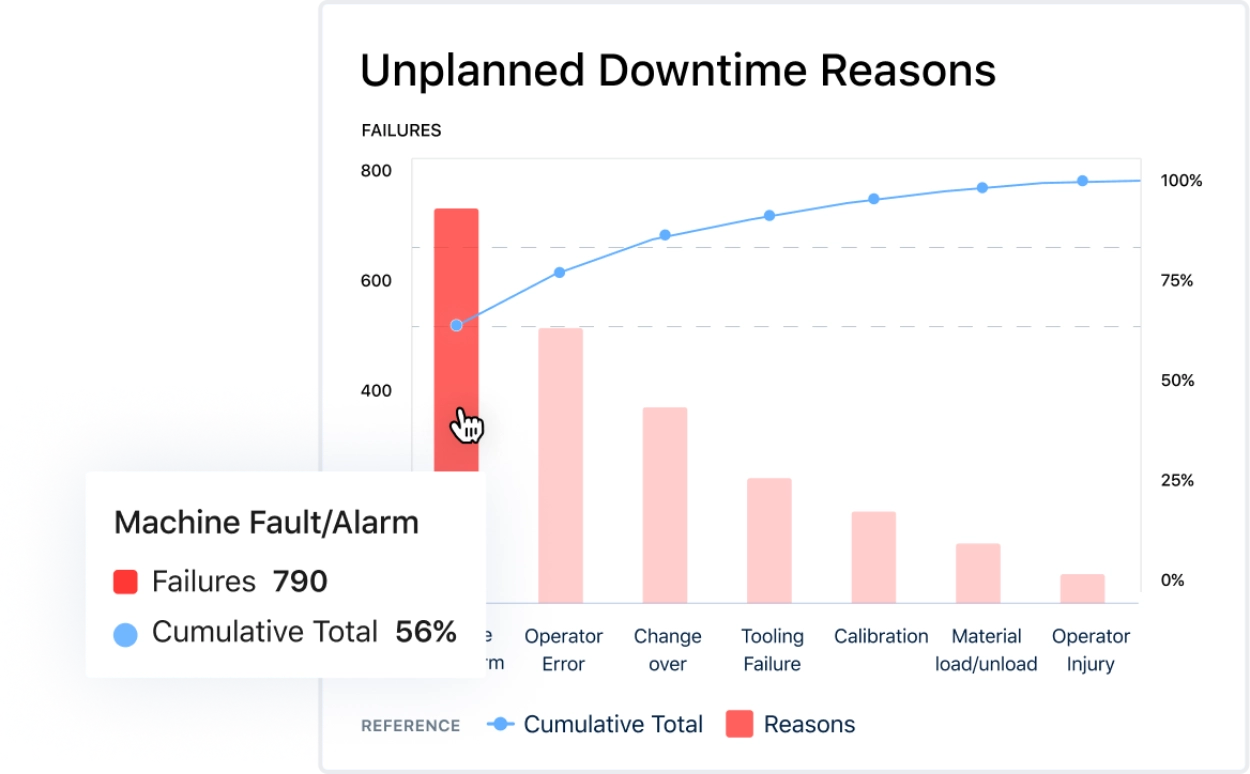
Strengthen your PM plan by understanding why your equipment fails. Take action on the most common causes of downtime for each asset, and across multiple sites.
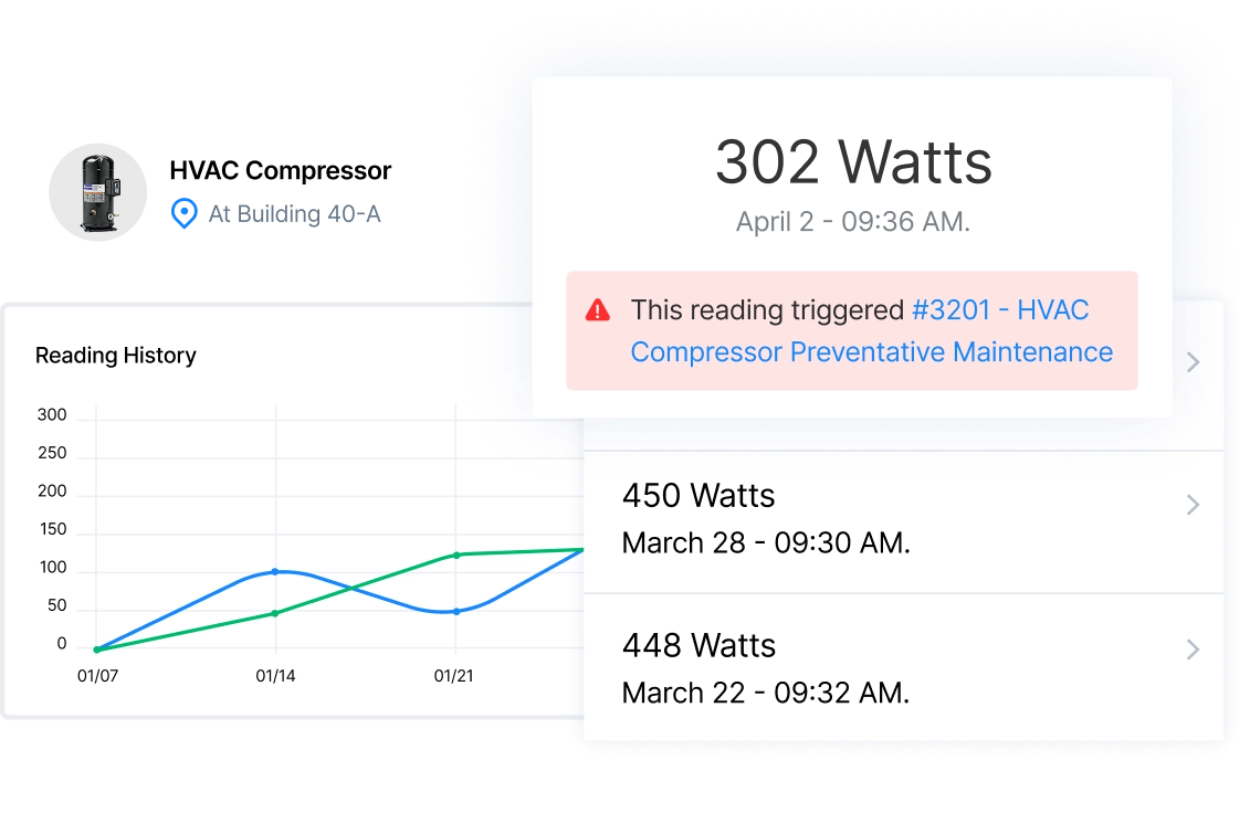
Measure asset condition with meter readings
Track assets over time with meters and readings (like PSI and mileage). Instantly see the historical performance of assets using barcodes and QR codes to pull up the right assets in the field.
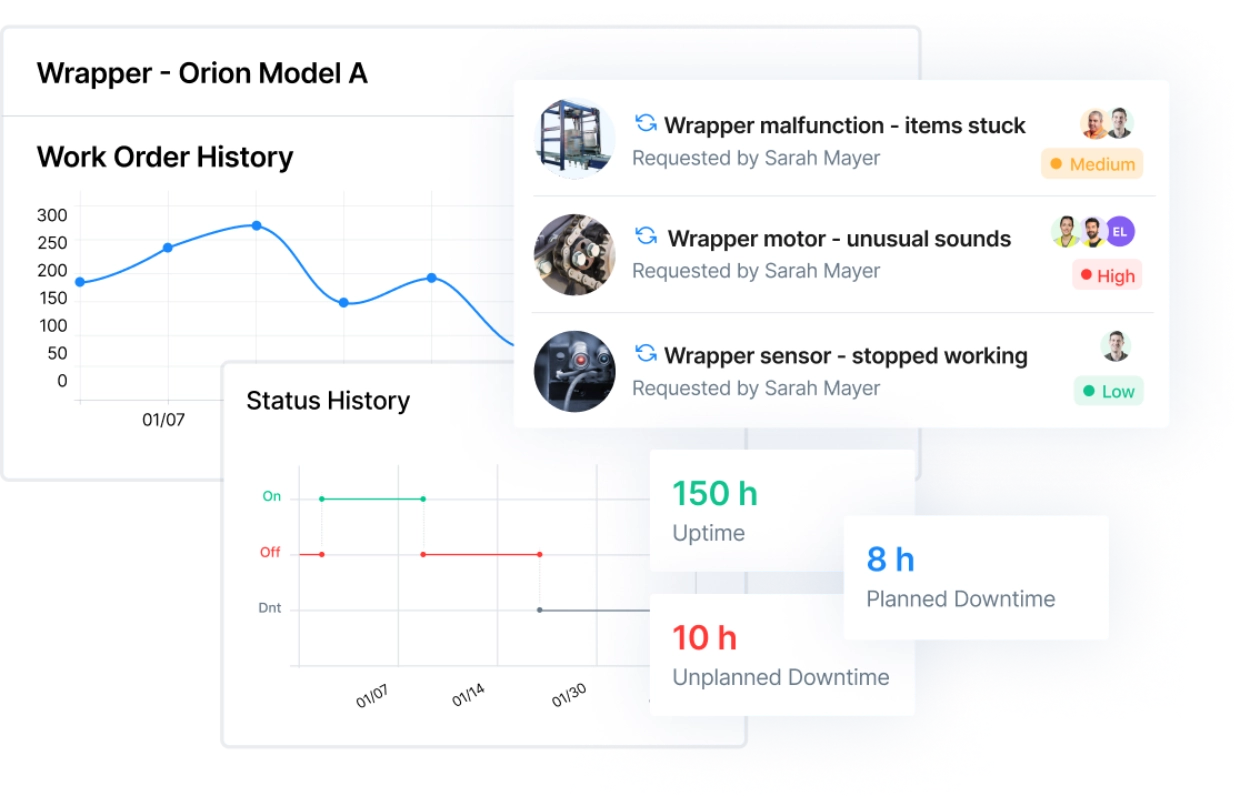
See asset and work history instantly
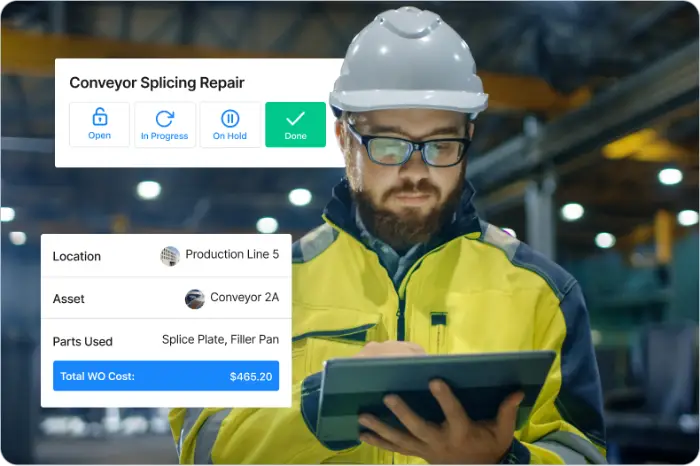
Access a full maintenance log for each asset, including what work was performed, who did the work, and which parts were used. Run reports on asset availability, costs, and failure causes to get data-driven insights.
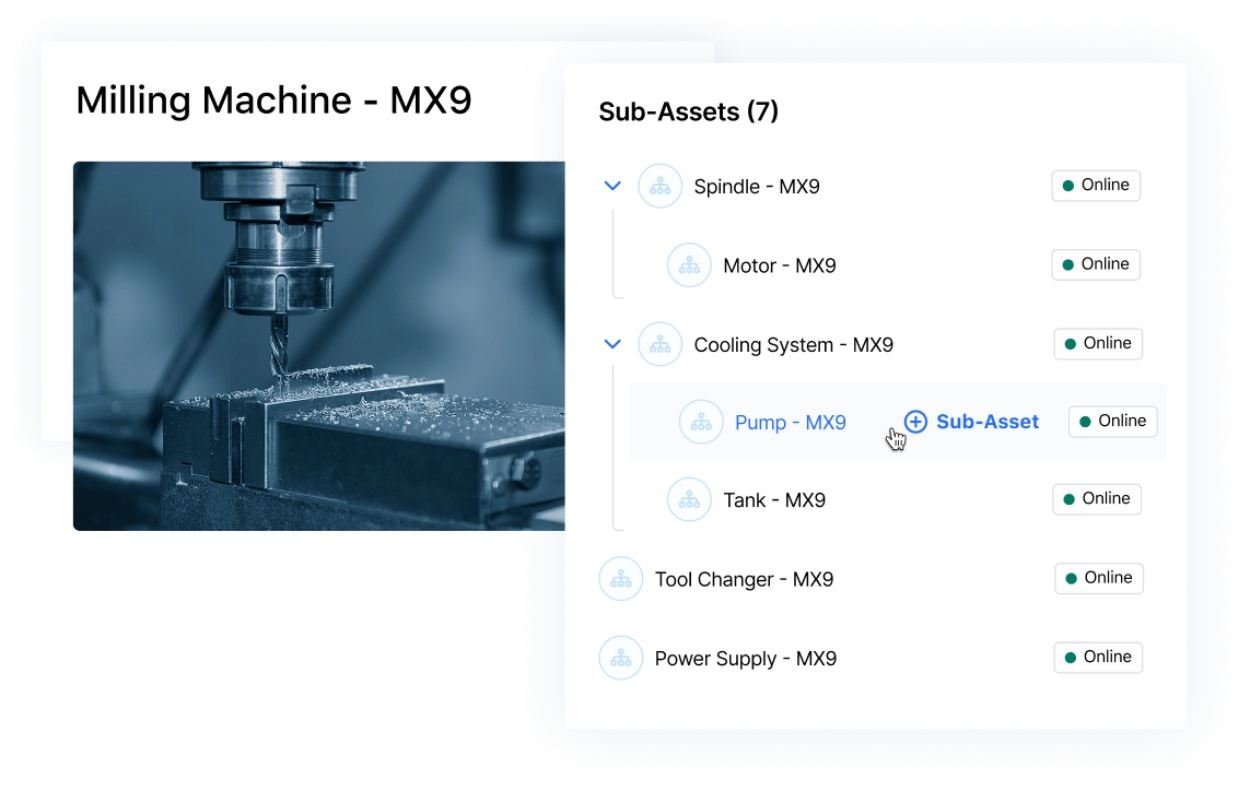
Manage your assets with accuracy and precision
Track the lifecycle of complex machinery, pinpoint failures, and attribute costs more precisely with a multi-layered asset hierarchy.




.jpg)
Award-winning software you can trust



See what customers have to say
Better Than Any Other Work Order Software or Mobile App.

This Software has Completely Changed our Department

My Oldest Millwright Loves MaintainX

Asset management software FAQs
Got a question? We’ve got answers. Need troubleshooting help? Check out our Support Center.
What is a CMMS in asset management?
A CMMS, or computerized maintenance management system, helps maintenance teams manage maintenance work and asset data in one place. It gives teams a centralized record of maintenance history, upcoming maintenance tasks, asset conditions, parts usage, and other information needed to keep equipment running reliably.
For example, MaintainX helps teams create asset records, schedule preventive maintenance, track work orders, and review historical asset data. This gives maintenance managers better visibility into asset health and performance so they can reduce unplanned downtime, improve maintenance efficiency, and make more data-driven maintenance decisions.
What’s the difference between a CMMS and asset management software?
Asset management software typically focuses on tracking assets throughout the asset lifecycle, including where they are, how they are being used, and sometimes their financial or lifecycle information. Meanwhile, a computerized maintenance management system (CMMS) focuses more specifically on the maintenance processes required to keep those assets reliable, including work orders, preventive maintenance scheduling, inspections, spare parts, and maintenance history.
There’s overlap between the two. MaintainX combines asset management and maintenance management capabilities so teams can track equipment, manage preventive maintenance, monitor asset performance, and maintain detailed asset records within the same system.
What is asset lifecycle management?
Asset lifecycle management is the process of managing an asset from acquisition and installation through operation, maintenance, and eventual replacement or retirement. For maintenance teams, that means keeping accurate asset records, tracking maintenance tasks, monitoring asset performance, and using that information to make better repair-or-replace decisions.
A CMMS can support the entire asset lifecycle by centralizing asset data, maintenance activities, failure history, and costs. This gives maintenance managers a clearer picture of how assets are performing over time and can help them extend asset life while controlling total cost.
Can a CMMS manage both asset tracking and preventive maintenance?
Yes. CMMS systems can connect asset tracking directly with preventive maintenance so maintenance teams know both what assets they have and what work needs to be completed on them.
With MaintainX, teams can create records for specific assets, view maintenance history, schedule preventive maintenance, and attach maintenance tasks and work orders to the equipment they apply to. Teams can also create maintenance schedules based on time or equipment usage, helping them move away from reactive repairs and reduce the risk of missed maintenance.
What are the benefits of asset management software compared with Excel or manual systems?
Spreadsheets become harder to manage as an organization’s number of assets, technicians, locations, and maintenance activities grows. Information can become outdated or may be spread across different files, and teams often have to update records manually.
Asset management software or CMMS gives maintenance teams a single source for asset data, work orders, maintenance schedules, and service history. Features such as barcode and QR code scanning can help field technicians pull up the right asset record quickly, while real-time updates give maintenance managers better visibility across multiple sites.
How does asset management software help reduce downtime and extend asset life?
Asset management software helps teams reduce downtime by giving them access to the information they need to find and address problems earlier. Teams can schedule preventive maintenance, review failure data, track recurring issues, and monitor maintenance data to understand how an asset is performing over time. MaintainX users, for example, report a 32% reduction in unplanned downtime after implementing the software.
Teams can also use condition monitoring, real-time sensor data, and predictive analytics to identify signs of equipment deterioration before failure occurs. By combining preventive maintenance, failure analysis, and asset health data, maintenance teams can reduce reactive repairs, improve asset performance, and potentially extend asset life while controlling maintenance costs.
How does asset management software help reduce maintenance costs?
Asset management software helps reduce maintenance costs by giving teams better visibility into asset conditions, maintenance history, failure data, and upcoming work. That makes it easier to schedule preventive maintenance, identify recurring failure modes, improve resource allocation, and address problems before they turn into more expensive reactive repairs.
A computerized maintenance management system (CMMS) can also help maintenance teams track labor, spare parts, and maintenance activities by asset. Over time, this historical data can show which assets are driving rising costs, where maintenance strategies need to change, and when replacing equipment may be more cost-effective than continuing to repair it.
Can asset management software track tools, vehicles, and equipment across multiple locations?
Yes. Teams can use asset management software to manage a wide range of physical assets across multiple locations.
MaintainX lets teams create asset records and use QR codes or barcodes to access asset information from mobile devices. Field technicians can view maintenance history, complete maintenance work, and update records from the field, giving maintenance managers better visibility into assets across plants, warehouses, job sites, or other facilities.
How does inventory management relate to asset management?
Asset management focuses on keeping equipment and other physical assets reliable throughout their lifecycle, while inventory management focuses on the spare parts and materials needed to maintain them. The two are closely connected because even a well-planned maintenance task can be delayed if the required part is unavailable.
A CMMS can connect maintenance work with parts inventory so teams can see which parts are being used, monitor stock levels, and plan maintenance with parts availability in mind. This can improve resource allocation, reduce delays, and help prevent excess inventory or shortages of critical spare parts.
Can technicians use mobile devices to manage assets in the field?
Yes. Mobile CMMS and asset management tools allow technicians to access asset records and complete maintenance work directly from the field instead of returning to a desktop or relying on paper forms.
With MaintainX's mobile app, technicians can scan QR codes or barcodes to open an asset record, review history, complete maintenance tasks, add photos or notes, and update work orders. Because those updates are captured in the same management system, maintenance managers can get a more current view of asset condition and maintenance activity across their operations.
What features should I look for in an asset management system?
The right asset management system should make it easy to understand what assets you have, where they are, how they’re performing, and what maintenance they need. For maintenance operations, useful capabilities typically include asset records, maintenance history, scheduling, work order management, parts inventory, mobile access, barcode or QR code scanning, and reporting.
Depending on your maintenance strategies, you may also want condition monitoring, reliability analytics, failure data, predictive maintenance capabilities, support for multiple sites, and integrations with existing systems or other enterprise software. The goal is to give maintenance teams a reliable source of asset data while making maintenance planning and execution easier.
How do I choose the right asset management system?
The right system depends on the size and complexity of your maintenance operations, the types of assets you manage, and the maintenance processes you want to improve. Look for core features such as asset records, preventive maintenance scheduling, work order management, maintenance history, parts inventory, mobile access, reporting, and support for multiple locations.
You should also consider how well the system fits your existing systems and future maintenance strategies. Condition monitoring, predictive maintenance, reliability analytics, integrations with enterprise systems, and a centralized dashboard may become more important as your operation grows. Above all, the system should be easy for maintenance managers and technicians to use consistently in their day-to-day work.